
Master Any Cloud & AI Certificationsin Record Time
33+ years. 5,000+ courses. 1M+ professionals certified. The world trusts BIGEXPERTLAB to deliver results that matter.





2025 Partner of the Year
Winner
BIGEXPERTLAB is the Global Winner of 2025 Microsoft Training Services Partner of the Year Award!
Trusted by global companies across various industries







































The BIGEXPERTLAB Difference
What makes 1M+ professionals choose BIGEXPERTLAB over everyone else
Destination Training
Immerse yourself in a focused learning environment, free from distractions, where you can sharpen your skills in popular global destinations.
Customized Training
Learning without limits. Create custom courses that fit your exact needs, from blended topics to brand-new content.
Excellent Trainers
Learn from the best. Our trainers are certified experts with real-world experience, ensuring top-quality learning.
Pre-Requisite Session
Ensure you're fully prepared before training. Join a free pre-requisite session to assess your knowledge and get ready for the course ahead.
Happiness Guarantee
100% satisfaction guarantee on every course. Not satisfied? We make it right — no questions, no hassle.
Destination Training
Immerse yourself in a focused learning environment, free from distractions, where you can sharpen your skills in popular global destinations.
Customized Training
Learning without limits. Create custom courses that fit your exact needs, from blended topics to brand-new content.
Excellent Trainers
Learn from the best. Our trainers are certified experts with real-world experience, ensuring top-quality learning.
Pre-Requisite Session
Ensure you're fully prepared before training. Join a free pre-requisite session to assess your knowledge and get ready for the course ahead.
Happiness Guarantee
100% satisfaction guarantee on every course. Not satisfied? We make it right — no questions, no hassle.
Authorized by 50+ Global Vendors
Official courseware. Certified instructors. Vendor-recognized credentials.
Microsoft
Gold Partner
380+ Courses

Cisco
Premier Partner
210+ Courses
AWS
Training Partner
290+ Courses
VMware
Principal Partner
120+ Courses
.png)
Oracle
Gold Partner
160+ Courses
PECB
Authorized Partner
80+ Courses
ISACA
Authorized Partner
60+ Courses
PeopleCert
ATO Partner
90+ Courses
CompTIA
Platinum Partner
180+ Courses

SAP
Gold Partner
140+ Courses
EC-Council
ATC Partner
120+ Courses
ISC2
Official Partner
50+ Courses
PMI
Premier Partner
140+ Courses
ISTQB
Authorized Partner
40+ Courses
Broadcom
Partner
70+ Courses
Check Point
Authorized Partner
55+ Courses
Red Hat
Advanced Partner
110+ Courses

The Open Group
Authorized Partner
45+ Courses

Linux Foundation
Training Partner
60+ Courses
Autodesk
Authorized Partner
45+ Courses
.png)
BCS
ATO Partner
35+ Courses

ServiceNow
Training Partner
40+ Courses
CertNexus
Authorized Partner
30+ Courses
SUSE
Training Partner
20+ Courses
SCRUMstudy
Authorized Partner
25+ Courses
GSDC
Authorized Partner
20+ Courses

Dell EMC
Training Partner
50+ Courses
.png)
AI CERTs
Authorized Partner
30+ Courses

Arcitura
Authorized Partner
20+ Courses

Mirantis
Training Partner
15+ Courses
EXIN
Authorized Partner
40+ Courses

Cloud Security Alliance
Authorized Partner
25+ Courses
.png)
Cloudera
Training Partner
30+ Courses
LPI
Authorized Partner
15+ Courses
Symantec
Authorized Partner
20+ Courses
DASA
Authorized Partner
15+ Courses

C++ Institute
Authorized Partner
10+ Courses
Microsoft
Gold Partner
380+ Courses
Cisco
Premier Partner
210+ Courses
AWS
Training Partner
290+ Courses
VMware
Principal Partner
120+ Courses
Oracle
Gold Partner
160+ Courses
PECB
Authorized Partner
80+ Courses
ISACA
Authorized Partner
60+ Courses
PeopleCert
ATO Partner
90+ Courses
CompTIA
Platinum Partner
180+ Courses
SAP
Gold Partner
140+ Courses
EC-Council
ATC Partner
120+ Courses
ISC2
Official Partner
50+ Courses
PMI
Premier Partner
140+ Courses
ISTQB
Authorized Partner
40+ Courses
Broadcom
Partner
70+ Courses
Check Point
Authorized Partner
55+ Courses
Red Hat
Advanced Partner
110+ Courses
The Open Group
Authorized Partner
45+ Courses
Linux Foundation
Training Partner
60+ Courses
Autodesk
Authorized Partner
45+ Courses
BCS
ATO Partner
35+ Courses
ServiceNow
Training Partner
40+ Courses
CertNexus
Authorized Partner
30+ Courses
SUSE
Training Partner
20+ Courses
SCRUMstudy
Authorized Partner
25+ Courses
GSDC
Authorized Partner
20+ Courses
Dell EMC
Training Partner
50+ Courses
AI CERTs
Authorized Partner
30+ Courses
Arcitura
Authorized Partner
20+ Courses
Mirantis
Training Partner
15+ Courses
EXIN
Authorized Partner
40+ Courses
Cloud Security Alliance
Authorized Partner
25+ Courses
Cloudera
Training Partner
30+ Courses
LPI
Authorized Partner
15+ Courses
Symantec
Authorized Partner
20+ Courses
DASA
Authorized Partner
15+ Courses
C++ Institute
Authorized Partner
10+ Courses
Microsoft
Gold Partner
380+ Courses
Cisco
Premier Partner
210+ Courses
AWS
Training Partner
290+ Courses
VMware
Principal Partner
120+ Courses
Oracle
Gold Partner
160+ Courses
PECB
Authorized Partner
80+ Courses
ISACA
Authorized Partner
60+ Courses
PeopleCert
ATO Partner
90+ Courses
CompTIA
Platinum Partner
180+ Courses
SAP
Gold Partner
140+ Courses
EC-Council
ATC Partner
120+ Courses
ISC2
Official Partner
50+ Courses
PMI
Premier Partner
140+ Courses
ISTQB
Authorized Partner
40+ Courses
Broadcom
Partner
70+ Courses
Check Point
Authorized Partner
55+ Courses
Red Hat
Advanced Partner
110+ Courses
The Open Group
Authorized Partner
45+ Courses
Linux Foundation
Training Partner
60+ Courses
Microsoft
Gold Partner
380+ Courses
Cisco
Premier Partner
210+ Courses
AWS
Training Partner
290+ Courses
VMware
Principal Partner
120+ Courses
Oracle
Gold Partner
160+ Courses
PECB
Authorized Partner
80+ Courses
ISACA
Authorized Partner
60+ Courses
PeopleCert
ATO Partner
90+ Courses
CompTIA
Platinum Partner
180+ Courses
SAP
Gold Partner
140+ Courses
EC-Council
ATC Partner
120+ Courses
ISC2
Official Partner
50+ Courses
PMI
Premier Partner
140+ Courses
ISTQB
Authorized Partner
40+ Courses
Broadcom
Partner
70+ Courses
Check Point
Authorized Partner
55+ Courses
Red Hat
Advanced Partner
110+ Courses
The Open Group
Authorized Partner
45+ Courses
Linux Foundation
Training Partner
60+ Courses
Autodesk
Authorized Partner
45+ Courses
BCS
ATO Partner
35+ Courses
ServiceNow
Training Partner
40+ Courses
CertNexus
Authorized Partner
30+ Courses
SUSE
Training Partner
20+ Courses
SCRUMstudy
Authorized Partner
25+ Courses
GSDC
Authorized Partner
20+ Courses
Dell EMC
Training Partner
50+ Courses
AI CERTs
Authorized Partner
30+ Courses
Arcitura
Authorized Partner
20+ Courses
Mirantis
Training Partner
15+ Courses
EXIN
Authorized Partner
40+ Courses
Cloud Security Alliance
Authorized Partner
25+ Courses
Cloudera
Training Partner
30+ Courses
LPI
Authorized Partner
15+ Courses
Symantec
Authorized Partner
20+ Courses
DASA
Authorized Partner
15+ Courses
C++ Institute
Authorized Partner
10+ Courses
Autodesk
Authorized Partner
45+ Courses
BCS
ATO Partner
35+ Courses
ServiceNow
Training Partner
40+ Courses
CertNexus
Authorized Partner
30+ Courses
SUSE
Training Partner
20+ Courses
SCRUMstudy
Authorized Partner
25+ Courses
GSDC
Authorized Partner
20+ Courses
Dell EMC
Training Partner
50+ Courses
AI CERTs
Authorized Partner
30+ Courses
Arcitura
Authorized Partner
20+ Courses
Mirantis
Training Partner
15+ Courses
EXIN
Authorized Partner
40+ Courses
Cloud Security Alliance
Authorized Partner
25+ Courses
Cloudera
Training Partner
30+ Courses
LPI
Authorized Partner
15+ Courses
Symantec
Authorized Partner
20+ Courses
DASA
Authorized Partner
15+ Courses
C++ Institute
Authorized Partner
10+ Courses
Explore Our Course Catalogue
Find your certification across cloud, security, networking, project management, and more.
PL-300T00: Design and Manage Analytics Solutions Using Power BI
DP-600T00: Microsoft Fabric Analytics Engineer
AI-103T00: Develop AI apps and agents on Azure
AWS Certified Solutions Architect - Associate (Architecting on AWS)
Generative AI Essentials on AWS
Implementing Cisco Application Centric Infrastructure (DCACI) v1.2
Microsoft 365
181 Courses
Top Partners
Microsoft 365 Copilot
81 Courses
Top Partners
Security
584 Courses
Top Partners
Business Skills
1213 Courses
Top Partners
Artificial Intelligence (AI)
586 Courses
Top Partners
Computational Thinking (CT)
731 Courses
Top Partners
Problem Solving
731 Courses
Top Partners
Security Engineer
363 Courses
Top Partners
Information Management (IM)
565 Courses
Top Partners
Power Automate & VBA Macros for Operational Process Automation
Microsoft 365 AI Business Professional
vSphere Kubernetes Service: Design, Deploy and Operate [V9.1]
Discovery Day- AWS Security and Containerization
Discovery Day- AWS Observability Analytics & IaC
Software Quality Assurance & Testing Tools
Across 50+ global vendors · All skill levels
How It Works
From choosing your path to getting certified — four steps that have worked for over a million professionals.
Tell Us Your Goal
Share where you are and where you want to be. Use our course finder, talk to a training advisor, or start with one of our curated career pathways.
Pick Your Format & Date
Choose 1-on-1, Public Batch, or Flexi. Select dates from guaranteed schedules that fit your life. Lock in your spot with flexible payment options.
Train with a Real Expert
A vendor-certified instructor teaches you live. Hands-on labs mirror real enterprise environments. Sessions are recorded so you can review later.
Certify & Advance
Pass your exam with dedicated prep and practice tests. Join 1M+ certified professionals who used BIGEXPERTLAB to land promotions and salary increases.
Tell Us Your Goal
Share where you are and where you want to be. Use our course finder, talk to a training advisor, or start with one of our curated career pathways.
Pick Your Format & Date
Choose 1-on-1, Public Batch, or Flexi. Select dates from guaranteed schedules that fit your life. Lock in your spot with flexible payment options.
Train with a Real Expert
A vendor-certified instructor teaches you live. Hands-on labs mirror real enterprise environments. Sessions are recorded so you can review later.
Certify & Advance
Pass your exam with dedicated prep and practice tests. Join 1M+ certified professionals who used BIGEXPERTLAB to land promotions and salary increases.
Stories That Speak for Themselves
Every number is real. Every name is used with permission. These are your peers — people who were exactly where you are and made the leap.
I went from IT support to Cloud Architect in 6 months. The 1-on-1 format was a game-changer — my instructor built every session around my specific gaps, not a generic syllabus.
Ravi Mehta
🇮🇳 India
Azure Solutions Architect Expert
18th Feb 2026
The guaranteed schedule gave me the confidence to hand in my notice and make the career change. My instructor had real enterprise experience — not just textbook knowledge.
James O'Brien
🇬🇧 United Kingdom
CompTIA Security+ SY0-701
17th Feb 2026
BIGEXPERTLAB's FMAT format let me complete CCNP in under 2 weeks. Same quality, same dedication — just compressed for my timeline. My employer was shocked.
Farah Zahir
🇦🇪 UAE
CCNP Enterprise Core (ENCOR)
16th Feb 2026
Rahul was an excellent trainer. His deep knowledge of the subject and patient teaching style made complex topics easy to understand.
Elena Mancini
🇮🇹 Italy
SC-300 Microsoft Identity
18th Feb 2026
Fantastic course, great instructor. The PMP prep was thorough and the practice exams were spot on. Passed first attempt!
Jackson Tate
🇺🇸 USA
PMP Certification
11th Feb 2026
The AWS course exceeded all expectations. The instructor had real-world cloud experience and the hands-on labs were invaluable. I landed a senior cloud role within a month of certifying.
Priya Sharma
🇸🇬 Singapore
AWS Solutions Architect – Associate
5th Feb 2026
BIGEXPERTLAB made the impossible possible. I completed my CISSP in 3 weeks with their intensive 1-on-1 training. The instructor adapted the pace perfectly to my background.
Ahmed Al-Rashid
🇦🇪 UAE
CISSP Certification
2nd Feb 2026
Best training investment I have ever made. The DevOps course was hands-on from day one. Our entire team is now deploying to Kubernetes confidently.
Sophie Laurent
🇫🇷 France
Certified Kubernetes Administrator
28th Jan 2026
The Google Cloud course gave me exactly what I needed to transition from on-prem to cloud. Real labs, real scenarios, and a trainer who genuinely cared about my success.
Carlos Mendez
🇲🇽 Mexico
Google Cloud Professional Architect
20th Jan 2026
I went from IT support to Cloud Architect in 6 months. The 1-on-1 format was a game-changer — my instructor built every session around my specific gaps, not a generic syllabus.
Ravi Mehta
🇮🇳 India
Azure Solutions Architect Expert
18th Feb 2026
The guaranteed schedule gave me the confidence to hand in my notice and make the career change. My instructor had real enterprise experience — not just textbook knowledge.
James O'Brien
🇬🇧 United Kingdom
CompTIA Security+ SY0-701
17th Feb 2026
BIGEXPERTLAB's FMAT format let me complete CCNP in under 2 weeks. Same quality, same dedication — just compressed for my timeline. My employer was shocked.
Farah Zahir
🇦🇪 UAE
CCNP Enterprise Core (ENCOR)
16th Feb 2026
Rahul was an excellent trainer. His deep knowledge of the subject and patient teaching style made complex topics easy to understand.
Elena Mancini
🇮🇹 Italy
SC-300 Microsoft Identity
18th Feb 2026
Fantastic course, great instructor. The PMP prep was thorough and the practice exams were spot on. Passed first attempt!
Jackson Tate
🇺🇸 USA
PMP Certification
11th Feb 2026
The AWS course exceeded all expectations. The instructor had real-world cloud experience and the hands-on labs were invaluable. I landed a senior cloud role within a month of certifying.
Priya Sharma
🇸🇬 Singapore
AWS Solutions Architect – Associate
5th Feb 2026
BIGEXPERTLAB made the impossible possible. I completed my CISSP in 3 weeks with their intensive 1-on-1 training. The instructor adapted the pace perfectly to my background.
Ahmed Al-Rashid
🇦🇪 UAE
CISSP Certification
2nd Feb 2026
Best training investment I have ever made. The DevOps course was hands-on from day one. Our entire team is now deploying to Kubernetes confidently.
Sophie Laurent
🇫🇷 France
Certified Kubernetes Administrator
28th Jan 2026
The Google Cloud course gave me exactly what I needed to transition from on-prem to cloud. Real labs, real scenarios, and a trainer who genuinely cared about my success.
Carlos Mendez
🇲🇽 Mexico
Google Cloud Professional Architect
20th Jan 2026
Upcoming Batches — September 2026
Every batch listed here is guaranteed to run. No cancellations.
DP-600T00: Microsoft Fabric Analytics Engineer
Certified Information Systems Auditor-CISA
SC-200T00: Defend against cyberthreats with Microsoft security operations platform
AZ-700T00: Designing and Implementing Microsoft Azure Networking Solutions
Awards & Recognition
Recognized by global vendors and quality bodies for training excellence
Winner of Microsoft Training Services Partner of the Year Award
2025
Winner of Microsoft's ANZ Superstar Campaign
2024
Winner of Microsoft's Asia Superstar Campaign
2022
Finalist – AWS Partner of the Year
2024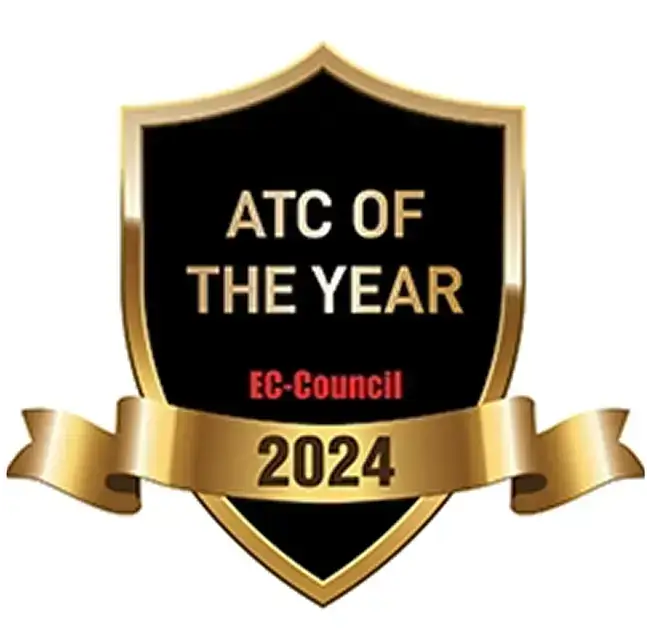
Winner of EC-Council ATC of the Year Award
2024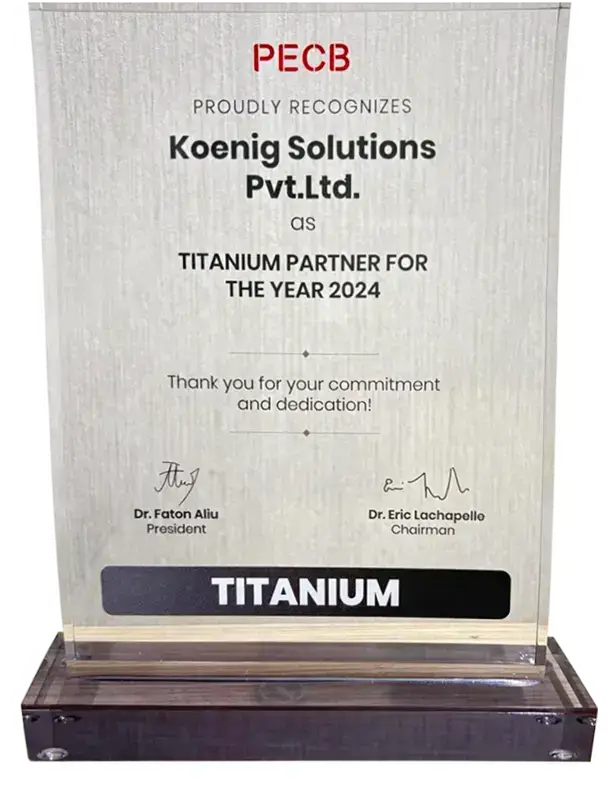
Winner of the PECB Titanium Partner Award
2024
Certified as a Great Place to Work
2011–2025
Winner of RedHat Gold Partner of the Year – Non-Retail (GLS India)
2025
Winner of RedHat Gold Partner of the Year – Non-Retail (GLS India)
2024
Winner of the Red Hat Partner of the Year Award
2023Frequently Asked Questions
Everything you need to know before booking your training
1-on-1 training pairs you with a dedicated certified instructor who delivers the entire course exclusively to you. You set the pace, ask unlimited questions, and customize focus areas. Sessions are live and interactive via video conferencing or in-person at our training centers.
If you are not satisfied with your training experience, we offer a 100% money-back guarantee. Our commitment is your success and your satisfaction — no questions asked, no conditions.
Yes. We offer flexible rescheduling with reasonable notice. Our guaranteed schedules mean your original dates always run as planned, but if your circumstances change, we will accommodate you.
We offer Classroom, Live Online, Flexi (self-paced schedule), and FMAT (Fast-Track Multi-Accelerated Training — multi-week content delivered in days for urgent upskilling needs). All include official courseware, labs, and exam prep.
Absolutely. BIGEXPERTLAB is an authorized training partner for 50+ global technology vendors including Microsoft, Cisco, AWS, and CompTIA. All certifications are issued directly by the vendor and recognized worldwide.
We design custom training programs for organizations of any size — from skills gap analysis and tailored curricula through dedicated instructors, volume pricing, and a real-time progress dashboard for L&D managers.
Yes. All training formats include hands-on lab environments that mirror real-world enterprise setups. Lab access is available during training and often extends beyond course completion for additional practice time.
Every BIGEXPERTLAB course includes dedicated exam prep: practice tests, exam-taking strategies, and focused review sessions. Our 95% first-attempt pass rate reflects the effectiveness of our approach across 1M+ trained professionals.
Still have questions?